Nepal Telecom Launches Online SIM Replacement Service: Here's How to Apply from Nepal or Abroad
Nepal Telecom now lets users apply for SIM replacement online. Learn how to replace a lost or damaged NTC SIM, apply from abroad, activate an eSIM, and more.
Losing your mobile SIM is more than just an inconvenience today. From banking apps and digital wallets to social media accounts and one time passwords, your mobile number is now connected to almost every important online service.
Recognizing this, Nepal Telecom (NTC) has introduced a new online SIM replacement service that allows customers to begin the replacement process digitally without immediately visiting an NTC office.
The new system is especially helpful for Nepalis living abroad, allowing them to submit the request online and authorize someone in Nepal to complete the verification process on their behalf. If you use an eSIM compatible smartphone, the service becomes even more convenient.
Here's everything you need to know.
What is Nepal Telecom's Online SIM Replacement Service?
Previously, customers who lost or damaged their SIM card had to visit a Nepal Telecom office in person to request a replacement.
With the new online system, users can now submit their SIM replacement request through an official web portal from anywhere.
The service supports:
- Lost NTC SIM replacement
- Damaged SIM replacement
- Physical SIM replacement
- eSIM replacement and activation
Although the application starts online, identity verification is still required before Nepal Telecom issues a replacement SIM.
Who can use this service?
The online SIM replacement portal is available for:
- Customers living in Nepal
- Nepalis working or studying abroad
- Users replacing damaged SIM cards
- Users switching from a physical SIM to an eSIM (supported devices only)
This makes the process significantly more convenient than the previous office only system.
How to Replace Your NTC SIM Online
The process is simple and only takes a few minutes to begin.
Step 1: Visit the official Nepal Telecom portal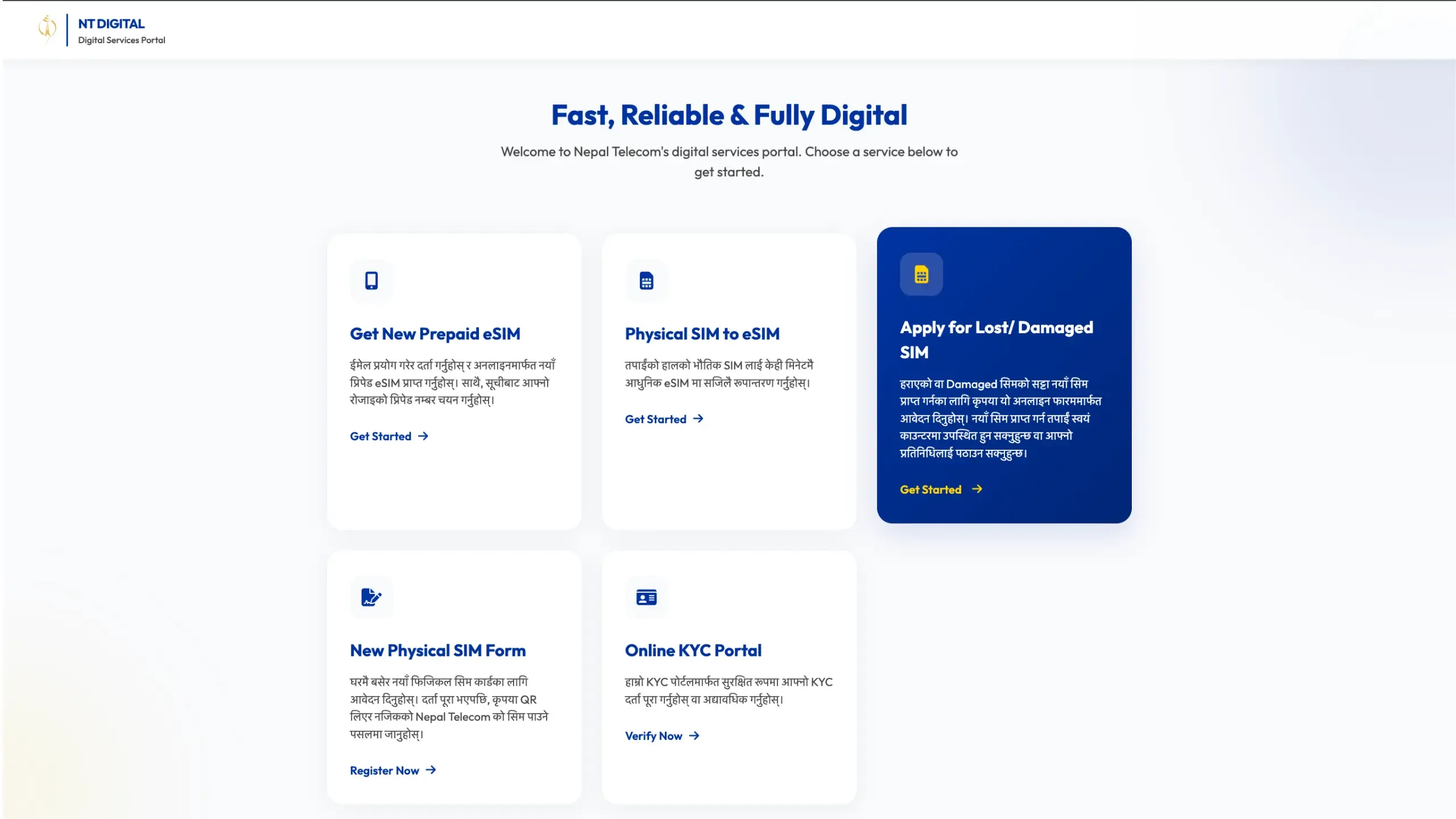
Open Nepal Telecom's official online SIM replacement portal and choose the option for replacing a lost or damaged SIM.
Log in using your account or create one if you haven't registered before.
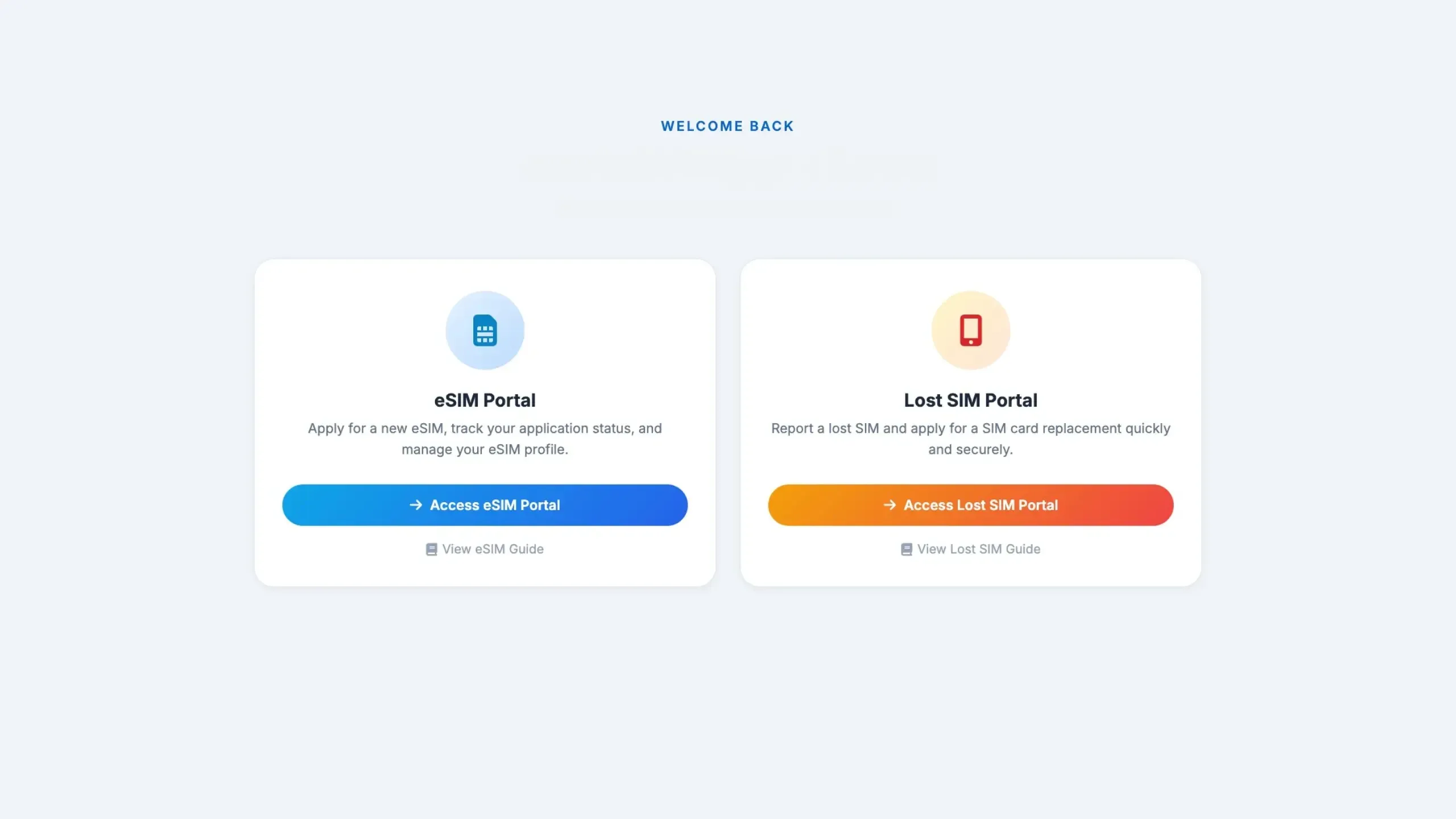
Step 2: Enter your personal information
Fill in the required information carefully, including:
- Registered mobile number
- Personal identification details
- Customer information
Make sure every detail exactly matches the information originally registered with Nepal Telecom.
Incorrect information may delay or reject the verification process.
Step 3: Add an authorized representative (For users abroad)
One of the biggest improvements is support for overseas users.
If you're outside Nepal, you can nominate:
- A family member
- A relative
- A trusted friend
- Another authorized representative
This person will visit the Nepal Telecom office on your behalf with the required identification documents to complete identity verification and collect the replacement SIM if necessary.
Step 4: Verification and payment
Once Nepal Telecom verifies the request, the authorized person must visit the designated office and pay the SIM replacement fee.
After successful verification, Nepal Telecom issues the replacement SIM.
Can You Replace Your NTC SIM While Living Abroad?
Yes.
This new service is designed to help Nepalis who are studying, working, or living outside Nepal.
Here's how it works:
- Apply online from abroad.
- Add the details of someone you trust in Nepal.
- That person completes the verification process.
- Your replacement SIM or eSIM is issued.
This means you don't have to travel back to Nepal just because your SIM is lost or damaged.
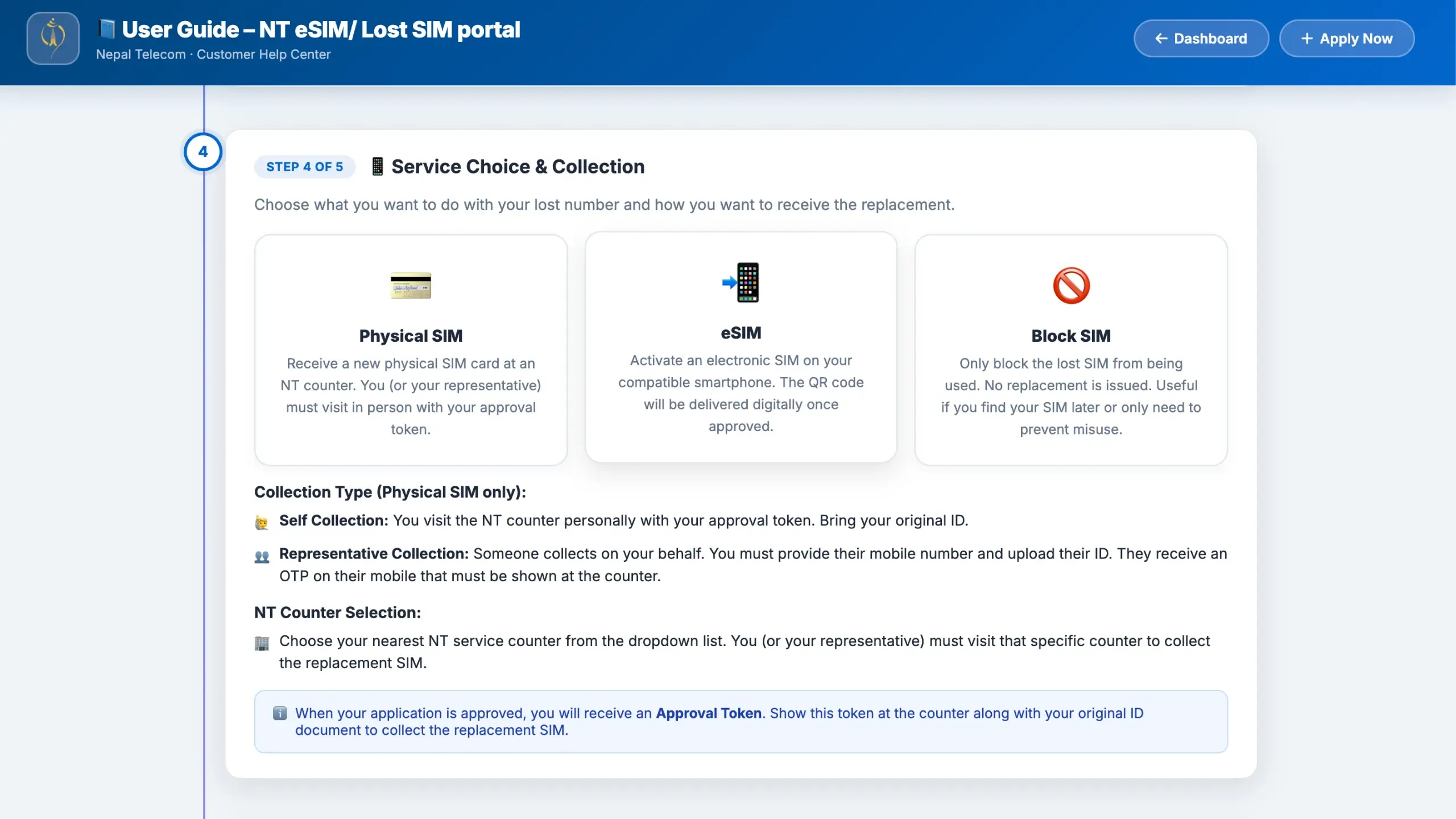
Physical SIM vs eSIM: What's the Difference?
After your request is approved, you'll receive your replacement based on the option you selected.
Physical SIM
If you choose a physical SIM:
- Your representative collects the SIM from Nepal Telecom.
- They can later send it to you if needed.
This option works with almost every phone.
eSIM
If your smartphone supports eSIM, this is the easier option.
After verification:
- Nepal Telecom generates an eSIM QR code.
- The QR code can be shared with you.
- Scan the QR code on your compatible phone.
- Your NTC number becomes active without needing a physical SIM.
For people living abroad, eSIM is usually the fastest and most convenient solution.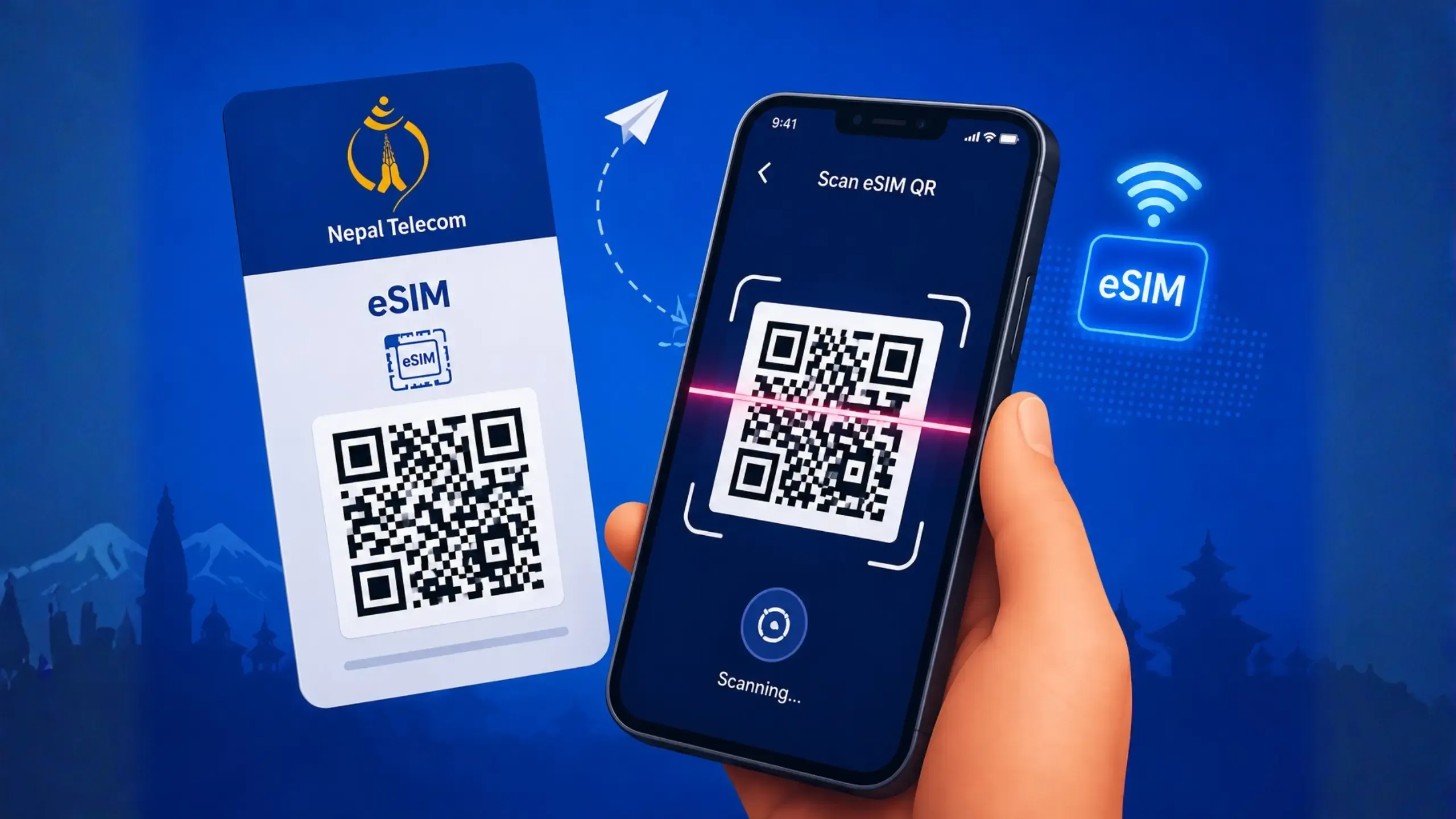
What Documents May Be Required?
Depending on your application, Nepal Telecom may ask for:
- Citizenship or valid ID
- SIM registration details
- Representative's identification (if someone is collecting the SIM)
- Authorization information
Providing accurate details helps speed up the verification process.
Things to Keep in Mind
Before applying, remember these important points:
- The application is online, but identity verification is still mandatory.
- Double check all personal information before submitting.
- Your representative should carry the required documents while visiting the NTC office.
- eSIM only works on phones that officially support eSIM technology.
- A replacement fee applies before the SIM is issued.
Why This Update Matters
This is one of Nepal Telecom's most practical digital services in recent years.
Previously, replacing a SIM often required multiple office visits, which was especially frustrating for people outside Nepal.
With the new online system:
- Less paperwork
- Faster application process
- Easier for overseas Nepalis
- Better support for eSIM users
- Reduced need to visit NTC offices just to submit a request
While identity verification is still necessary for security, most of the process can now be completed from anywhere.
HithX Verdict
Nepal Telecom's online SIM replacement service is a welcome upgrade that makes recovering your mobile number much easier than before. While the verification step is still required for security reasons, the ability to submit the application online saves both time and unnecessary trips to an NTC office.
The biggest advantage is for Nepalis living abroad. Instead of waiting until they return home, they can now start the process online, authorize someone in Nepal to complete verification, and even activate an eSIM remotely on a compatible phone. It's a practical digital service that makes staying connected far more convenient.
Frequently Asked Questions
Can I replace my NTC SIM online?
Yes. Nepal Telecom now allows customers to submit SIM replacement requests through its online portal.
Can I replace my SIM while I'm abroad?
Yes. You can apply online and authorize someone in Nepal to complete verification and collect the SIM. If you choose eSIM, you can activate it remotely on a supported device after receiving the QR code.
Will I lose my phone number?
No. Your existing mobile number remains the same after the replacement.
Will my mobile banking and digital wallet still work?
Yes. Since your number stays the same, services linked to your phone number should continue to work once the new SIM is activated. You may need to log in again to some apps.
Can I convert my physical SIM to an eSIM?
Yes, provided your phone supports eSIM and Nepal Telecom approves the request.